by abduzeedo
Explore Pencil.dev: The ultimate AI design tool for Cursor users. Bridge the gap between Figma and code with Git versioning and agentic "vibe coding" workflows.
We are witnessing a tectonic shift in how digital products are built. The era of manual syntax is giving way to the era of AI orchestration—where "vibe coding" and agentic workflows are becoming the new standard. Yet, as our development environments become smarter and more fluid, our design tools have largely remained static islands, disconnected from this new intelligence.
But recently, I got a glimpse of a new tool that feels different. It’s called Pencil, and it might just be the bridge we’ve been waiting for.
Pencil isn't just another prototyping tool; it bills itself as "Design Mode for Cursor" (the AI-powered code editor). It effectively brings a pixel-perfect vector canvas directly into the development environment, blurring the line between drawing an interface and building it.
Here is why Pencil is catching our attention and why it might be the ultimate tool for the new era of "vibe coding."
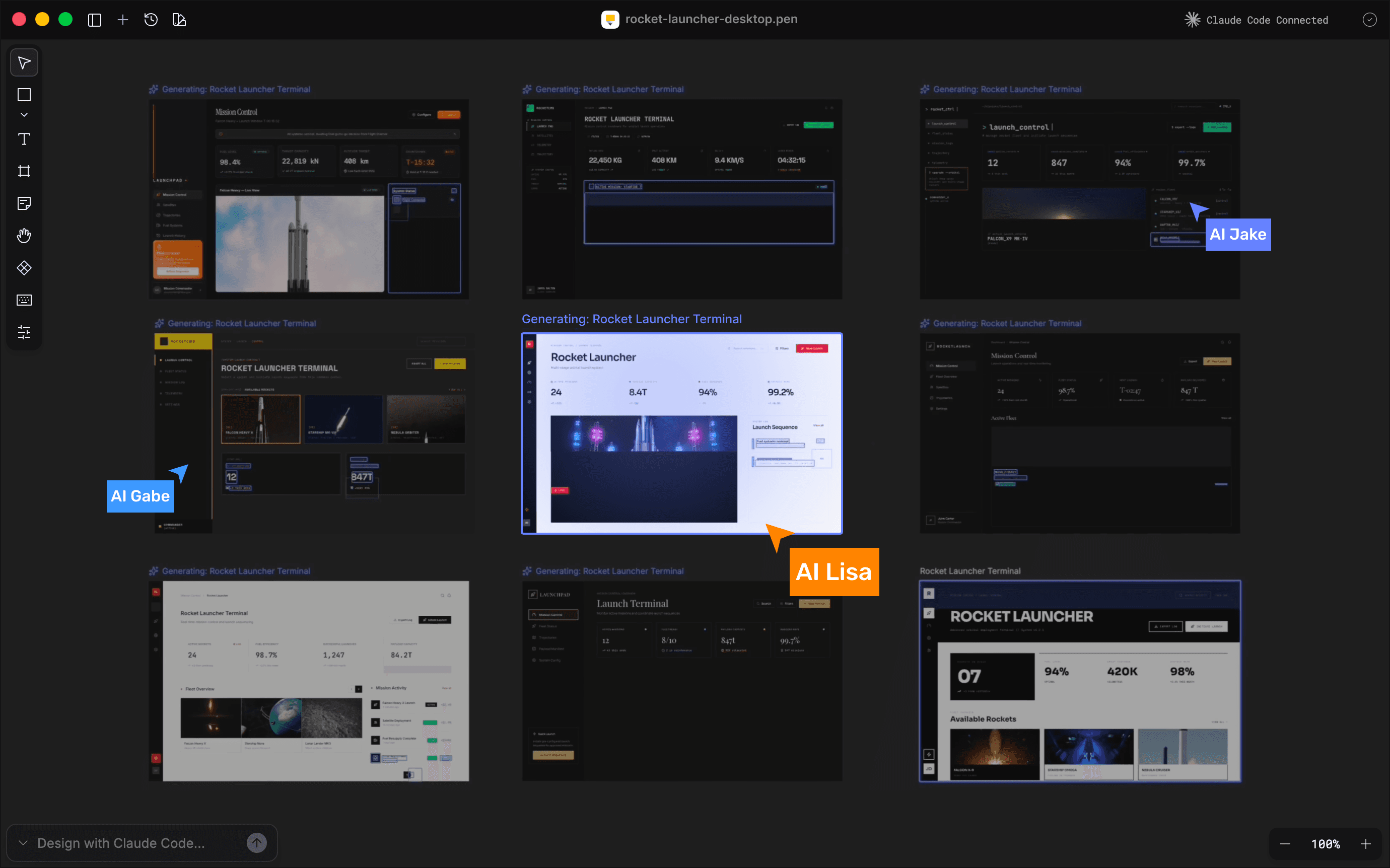
1. Bridging Traditional Design with "Vibe Code"
We are entering a new phase of creation often called "vibe coding"—where the creator directs the high-level intent (the "vibe") and AI handles the syntax. Until now, this was mostly a text-based experience. You prompt a chat window, and code appears.
Pencil adds the visual dimension to this workflow. It bridges the gap between traditional vector design tools and AI-generated engineering. You aren't just prompting for code; you are manipulating a canvas that is the code. It allows designers to stay in a visual creative flow while leveraging the raw power of LLMs to generate the underlying structure. It’s the first tool that acknowledges that in an AI world, the distinction between a "mockup" and a "build" is rapidly evaporating.
2. Finally, Real Versioning for Design
If you have ever had different Figma pages or even for other design tools with multiple file names, you know the pain. Design version control has historically been a mess compared to software engineering.
Pencil changes the paradigm by integrating deeply with GitHub. Because the design files live in your repo, you can version, branch, and merge designs exactly the way engineers handle code.
This is a massive shift in mindset. It means design is no longer a separate artifact floating in the cloud; it is a commit in the repository. It forces a level of synchronization between design and engineering that was previously impossible to enforce. If the code rolls back, the design rolls back. One source of truth, one repo.
3. The Figma Connection: Copy, Paste, Done
The cool thing is that this tool doesn't mean we aren't abandoning Figma overnight. Figma is where the exploration happens. Any new tool needs to play nice with the current standard of UI design.
Pencil this with a seamless Copy and Paste workflow. You can grab frames, vectors, text, and styles directly from Figma and drop them into Pencil. The assets come over intact—no broken SVGs or missing fonts.
This feature is critical because it lowers the barrier to entry. You can keep your messy brainstorming in Figma, but when it’s time to "get real" and move toward production, you simply paste your polished vectors into Pencil and start connecting them to the codebase.
For the multidisciplinary creator—the designer who codes, or the "vibe coder" who designs—this is a tool worth watching.
Pencil.dev represents a shift in how we think about "Design Tools." It is less about drawing rectangles and more about orchestrating a product. By moving the design canvas into the IDE and backing it with Git, it treats design with the same structural respect as code.
For the multidisciplinary creator—the designer who codes, or the "vibe coder" who designs—this is a tool worth watching.
Check out Pencil.dev to see the future of the design-to-code workflow.