by abduzeedo
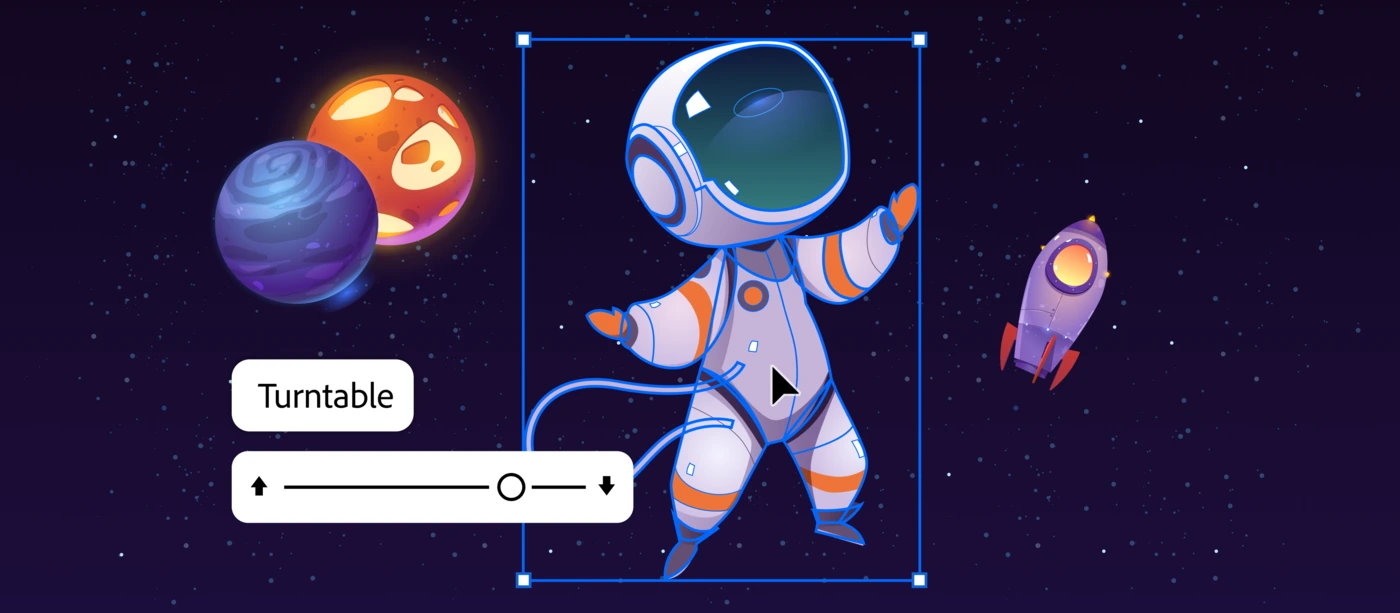
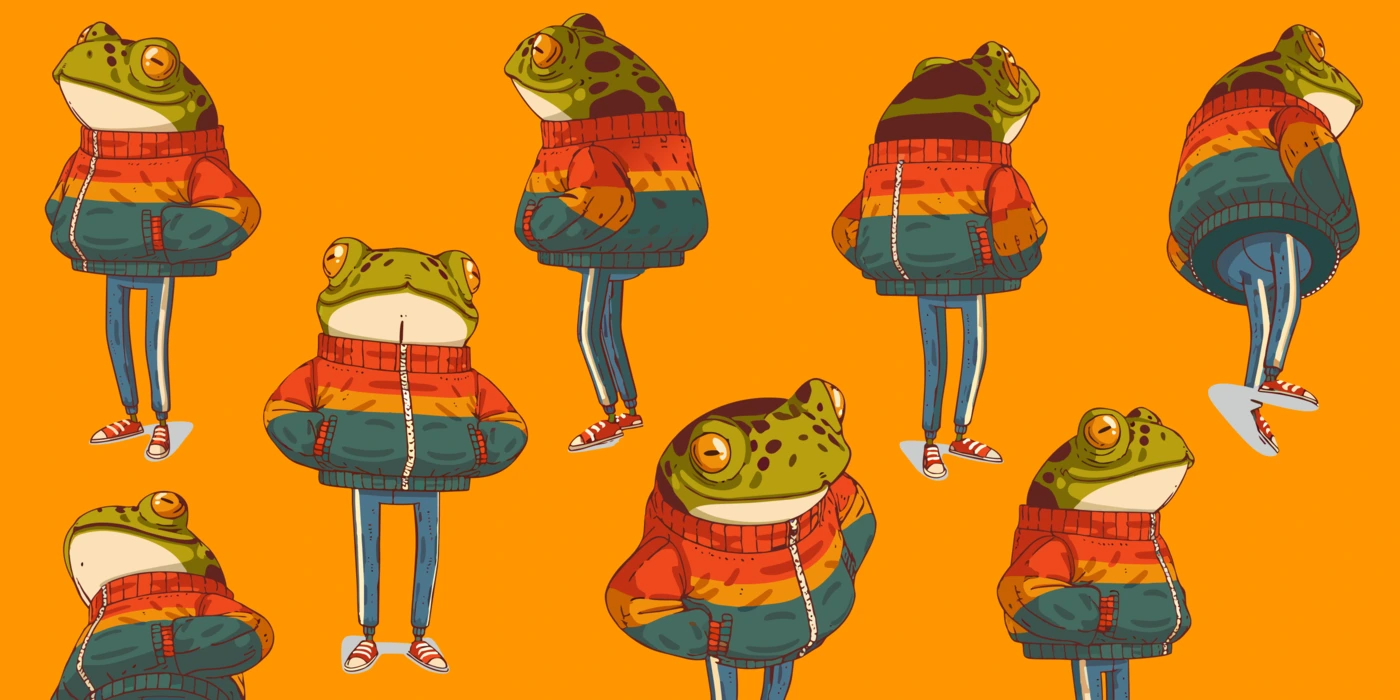
Adobe Turntable is now generally available in Illustrator, letting designers generate up to 74 editable vector views from a single flat illustration now.
Adobe has been refining Adobe Turntable since it first appeared as a MAX Sneak preview. That early demo drew attention because it addressed a real frustration: creating multi-angle views of a character or asset meant hours of manual redraws or a detour into 3D software that most 2D designers don't use daily. Adobe Turntable removes that detour entirely.
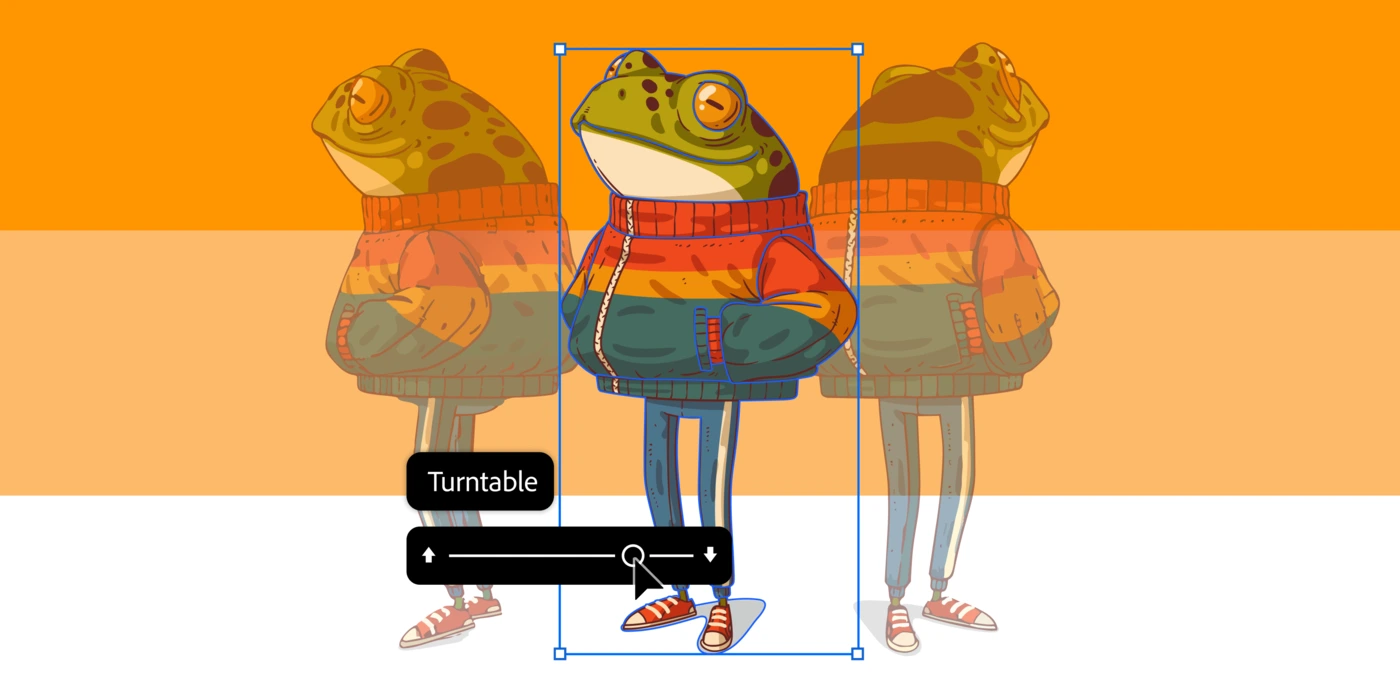
The feature lives inside Illustrator and works directly with vector artwork. A designer brings in a flat illustration, runs Adobe Turntable, and gets back up to 74 distinct angles — covering full 360-degree rotation and vertical tilt. Each output is a fully editable vector, not a rasterized snapshot. That distinction matters: teams can go into any generated angle and adjust anchor points, colors, and details the same way they'd edit the original file.
What Adobe Turntable Does for Design Workflows
The practical use cases become clear fast. Animation teams working on pitch decks need character turnarounds to show how a figure reads from every angle — a process that previously stretched across days. Game designers producing concept art benefit from 360-degree asset views without switching tools. Social media teams can now build GIFs and micro-animations directly from their Illustrator files. Adobe Turntable makes each of those workflows faster by keeping everything inside a single application.
The handoff story matters too. Once a designer has their multi-angle vector set from Adobe Turntable, they can move straight into After Effects without any file conversion step. That continuity between Illustrator and After Effects is where the real time saving sits — not just in the generation step, but in the whole pipeline from concept to motion asset.
Built Through Community Beta, Not Just in a Lab
Adobe Turntable didn't ship straight from an internal research project. It went through an extended beta period after the MAX Sneak, where working designers tested it on real projects and fed that experience back to the engineering team. The result is a tool calibrated against actual design work, not a proof-of-concept built around ideal conditions.
That development path is visible in the details. The 74-angle output range didn't come from an arbitrary technical ceiling — it reflects the range that production pipelines actually need. The decision to keep every output as a fully editable vector, rather than converting to bitmap at any stage, addresses the workflow reality that assets get revised multiple times before they're final. Adobe Turntable slots into how designers already work, rather than asking them to adapt to the tool.
Adobe Turntable is part of a broader push in Illustrator that includes Generative Shape Fill and a set of performance improvements. For a closer look at how to use the feature, Adobe's official help documentation covers the full workflow from vector import to multi-angle export.