by jeff
Remotion turns React video into code: define frames as components, pass data to parameterize content, and render polished MP4 files locally or on Lambda.
For most developers, video production means reaching for a timeline editor, dragging clips around, and exporting. Remotion flips that model. Built on top of React, it lets developers write MP4 files the same way they write web apps: as components, props, and state. Every frame is a function. Change the data, get a different video.
The core idea is elegant. Remotion gives each component a frame number via a useCurrentFrame() hook. At 30fps with 150 frames, frame 0 is the start and frame 149 is the end. Anything that can be expressed in React, including CSS transitions, SVG animations, Three.js scenes, Lottie files, and live data, becomes a sequence in a React video composition.
How React Video Composition Works in Remotion
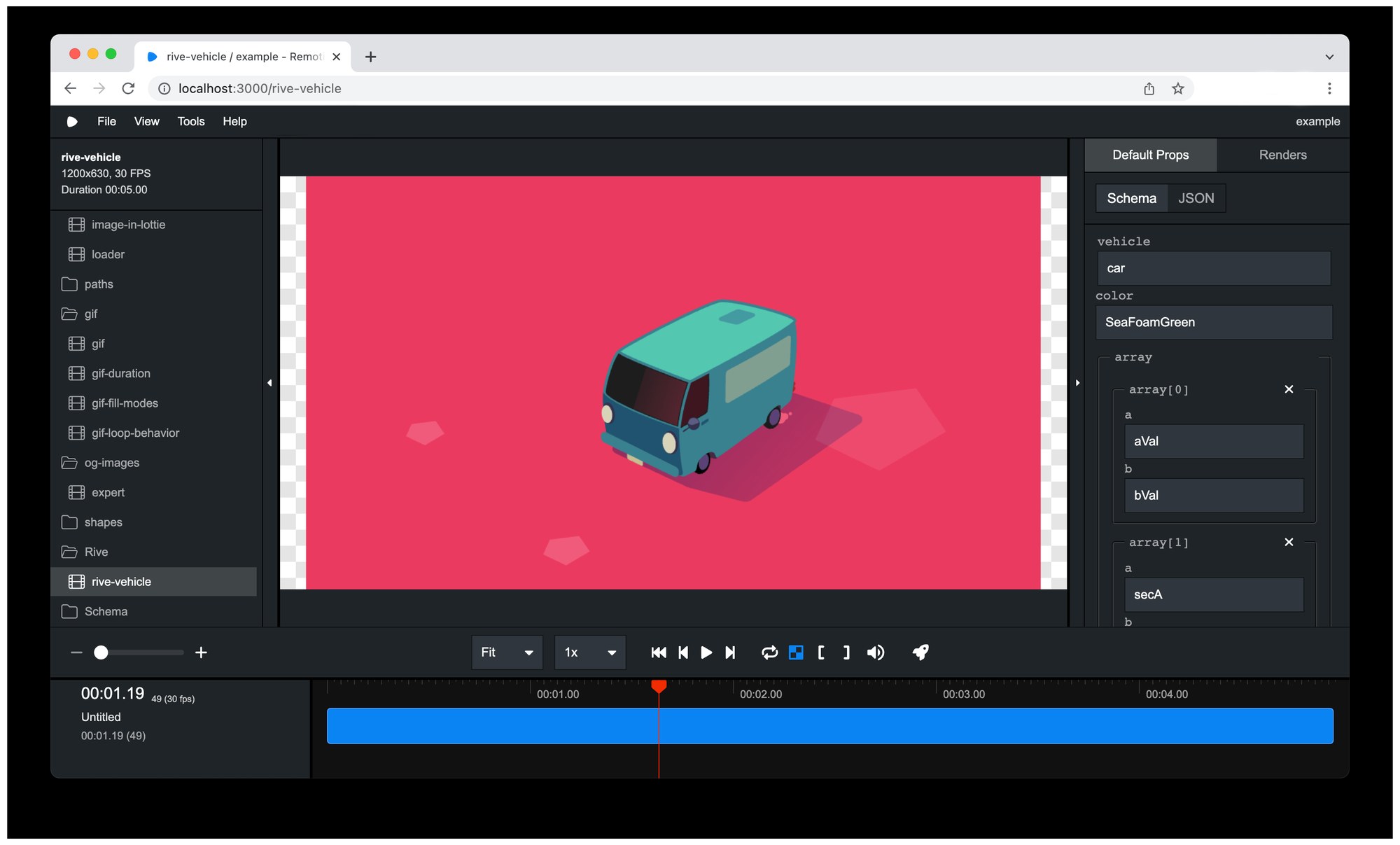
A Remotion project uses a root file to register compositions. Each composition pairs a React component with a duration, framerate, and resolution. The Remotion Studio, a local dev server, renders previews in real time, scrubs the timeline, and exposes a render button that produces the final file. No additional FFmpeg installation is required, as version 6.0 ships baked into the package.
Props drive everything. Developers pass a data object into the composition, and the underlying component uses those values to determine what text appears, which chart data to render, or which frame of a background video to show. This makes React video generation scale well beyond one-off exports. The same template can produce thousands of unique clips from a spreadsheet or API response, each rendered server-side using the renderMedia() Node.js API or via AWS Lambda for parallel execution.
The Remotion Studio and Timeline Editor
The Remotion Studio provides a visual layer over the code-driven workflow. Compositions with Zod-typed props expose an interactive schema editor directly in the sidebar. A developer can adjust numbers, strings, enums, or nested objects without touching the source file. The edited props round-trip back to the project on save. This bridges the gap between the design review process and the code that produces the final React video output.
For teams building video creation tools into their products, Remotion Lambda handles parallel rendering on AWS infrastructure. The library splits compositions into chunks, renders each on a separate Lambda function, and concatenates the output. Remotion 4.0.130 introduced an audio concatenation technique that eliminates a full re-encoding pass at the end, cutting render time significantly on longer videos. Formats include MP4, WebM, and WebP stills.
React Video for Data-Driven Production
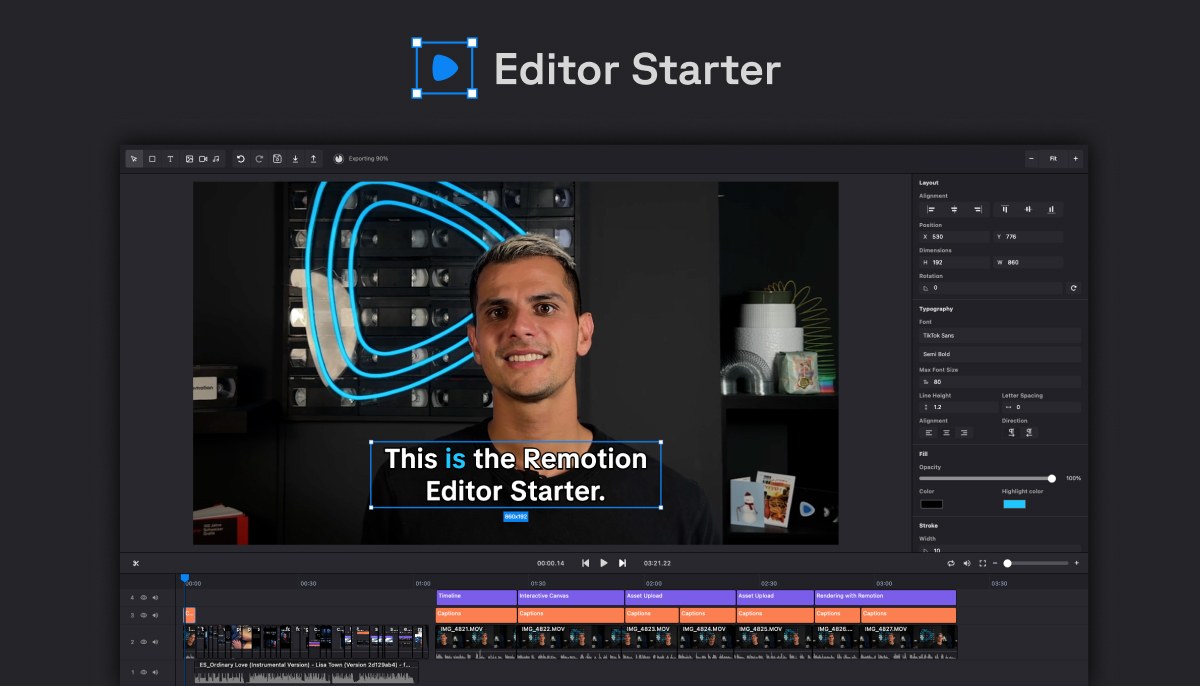
The practical applications for React video span marketing, social content, and product tools. Developers have used Remotion to generate GitHub star milestone videos, dynamic invoice clips, personalized ad variations, and AI-captioned social posts. The Editor Starter template, a paid boilerplate released by the Remotion team, packages together a full video editor UI including an interactive canvas, font picker, timeline, undo history, and asset uploads. It serves as a starting point for studios or SaaS products that want to offer in-app React video editing to end users.
Remotion is free for individuals and companies under three people. Teams of four or more require a Company License billed at a pay-per-render rate, with a $100 per month minimum. Enterprise plans include a private Slack or Discord channel, monthly consulting sessions, and custom billing arrangements. The project is maintained by Remotion AG, based in Switzerland, and has raised CHF 180,000 from its own community of users and customers.
Source and documentation: remotion.dev. Created by Remotion AG.